Telegram lets you easily connect with others using your username. Unlike phone numbers, usernames allow users to share public contact information without revealing personal information. With the Telegram search by username feature, you can find someone by entering their unique username directly and start a conversation without needing to save their phone number. If someone creates a Telegram username, you can search for it easily and quickly connect with them.
Whether you want to connect with friends, join a community, or message someone you recently met online, learning how to use a Telegram username can save you time. This guide will show you how to use usernames to find and contact Telegram users on mobile devices and computers, and provide some practical tips for managing username searches.

What Is a Telegram Username
A Telegram username is a unique name that other users can find by searching for. It usually starts with the “@” symbol, for example, @exampleusername.
Unlike phone numbers, usernames can be shared publicly. When someone searches for your username, they can open your profile and send you messages without having your phone number saved.
Telegram usernames are useful for:
- Connecting with new people
- Sharing your account on social media
- Creating easier ways for others to contact you
- Joining public groups and channels
- Building online communities
Usernames must be unique. If another user has already selected that username, you will need to select a different username.
How to Find Someone on Telegram Using Their Username
This process is simple and works on both the Telegram mobile app and the Telegram desktop version.
Step 1: Open Telegram
Launch the Telegram app on your phone, or open the Telegram desktop version on your computer. Please ensure you are logged into your account.
Step 2: Use the Search Bar
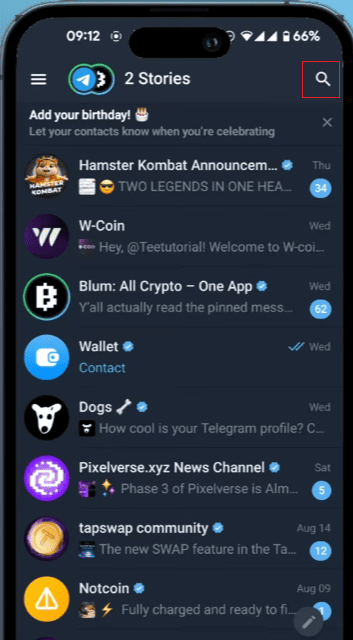
At the top of the Telegram interface, you will find a search option.
On mobile:
- Open Telegram.
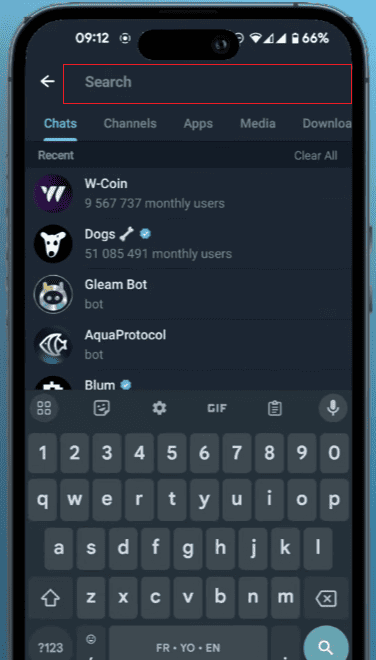
- Tap the search icon.
- Enter the username in the search box.
On Telegram Desktop:
- Open Telegram Desktop.
- Click the search bar on the left side.
- Type the username you want to find.
Step 3: Enter the Username Correctly
When searching, you can enter a username with or without the “@” symbol.
Telegram will display matching accounts, groups, and channels. Find profiles that match the username you are searching for.
Step 4: Open the Profile
After finding the correct account, click or tap the profile.
You can view basic information such as:
- Profile picture
- Username
- Bio information
- Shared groups (if available)
If it is the person you want to contact, open the chat window.
Step 5: Send a Message
Click the message box, enter your text, and then send.
You can start by giving a brief self-introduction, especially if the other person doesn’t know you yet. Clear and concise information helps the other party understand the purpose of your contact. If you use the search Telegram ID feature to find someone, introducing yourself first can make the conversation feel more natural.
How to Add People on Telegram
Besides searching for usernames, Telegram offers several ways to add new contacts. You can add people through usernames, phone numbers, or shared contacts depending on how you connect with them.
Add Someone Using Their Username
- Open Telegram.
- Tap the search bar.
- Enter the person’s username.
- Select the correct profile.
- Open the chat and send a message.
This method does not require saving the person’s phone number.
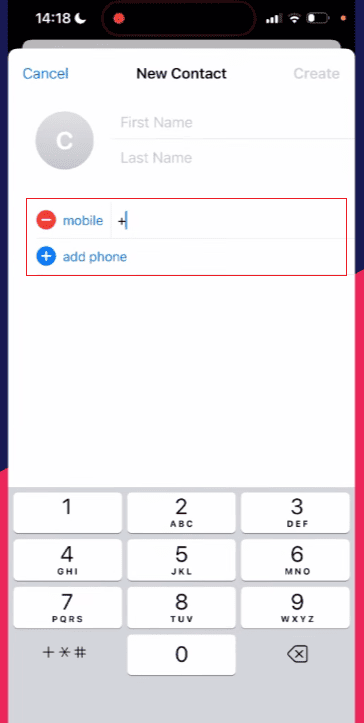
Add Someone Using Their Phone Number
If you have someone’s phone number, you can add them directly:
- Open Telegram.
- Go to Contacts.
- Tap “Add Contact”.
- Enter their name and phone number.
- Save the contact.
If the person uses Telegram, their account will appear in your contacts.
Add People From a Telegram Group
You can also add people you meet in groups:
- Open the group chat.
- Tap the person’s profile picture.
- View their profile.
- Start a private chat or add them to your contacts.
This is useful for connecting with members from communities or discussion groups.
Share Your Telegram Contact
You can let others add you by sharing:
- Your Telegram username
- Your username link (t.me/username)
- Your contact information
Using a username is usually the simplest way because people can find you directly without entering a phone number.

How to Search Telegram Username on Desktop
Telegram Desktop provides a larger screen and can be more convenient when managing multiple chats.
To search for someone:
- Open Telegram Desktop.
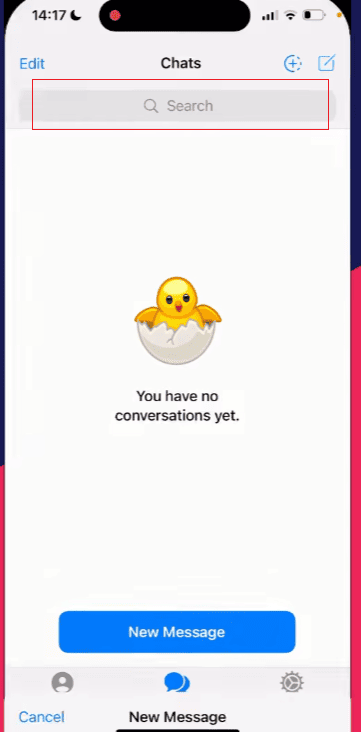
- Click the search field.
- Enter the username.
- Select the correct account from the results.
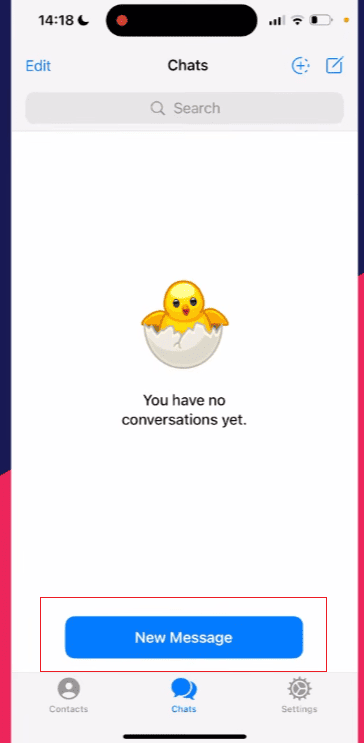
- Click “Start Chatting.”
Telegram Desktop also allows you to quickly switch between conversations, search messages, and manage contacts.
For frequent computer users, using a username allows for quicker initiation of conversations without having to switch between different devices.
What to Do If You Cannot Find Someone’s Username
Sometimes, a username search may not find the account you want. There could be several reasons for this.
Check the Username Spelling
Telegram usernames are exact. A small spelling mistake can lead to no results.
Check:
- Missing letters
- Extra numbers
- Incorrect symbols
- Similar usernames
Confirm the Username Is Active
Some users may change their usernames. If someone updates their username, the old username may become unusable.
If possible, please ask the other party to confirm their current Telegram username.
Search Without the “@” Symbol
If searching with “@username” does not work, try entering only the username.
How to Create Your Own Telegram Username
If you want others to contact you through a username, you need to create one first.
Follow these steps:
- Open Telegram settings.
- Tap your profile section.
- Select the username option.
- Enter your preferred username.
- Save the changes.
After creating a username, other users can search for you without needing your phone number.
Difference Between Telegram Username and Phone Number
Telegram provides two main ways to find people: usernames and phone numbers.
| Feature | Username | Phone Number |
| Easy to share | Yes | Less convenient |
| Requires saving contact | No | Usually needed |
| Search method | Public search | Contact list |
| Good for online communication | Yes | Limited |
| Can be changed | Yes | No |
A username is often better for public communication because it is easier to share and remember.
Can You Contact Someone If They Do Not Have a Username
If a person does not have a Telegram username, searching for them by name usually will not work because many users can have the same display name.
Other ways to connect include:
- Adding their phone number
- Receiving their contact card
- Using a shared group
- Asking them to create and share a username
A username is the easiest option when you want a simple and direct connection method.
Common Problems When Searching Telegram Usernames
1. The Username Shows No Results
Possible causes:
- The username is incorrect
- The user changed their username
- The account does not have a username
Try checking the spelling or asking for an updated username.
2. Too Many Search Results Appear
Some usernames may look similar. Check the profile picture, bio, or other available details before starting a conversation.
3. The Username Link Does Not Open
If a Telegram link does not work:
- Check if the username is correct
- Remove extra spaces from the link
- Try opening it directly in Telegram
Tips for Using Telegram Usernames Effectively
1. Choose a Simple Username
A short and clear username is easier for others to remember and search.
2. Keep Your Profile Updated
A profile picture and short bio can help people identify the correct account.
3. Use Username Links
A direct Telegram link is faster than asking others to manually search your username.
4. Check Usernames Before Sharing
Make sure your username is correct before posting it publicly.
Conclusion
Using a username to contact others on Telegram is a quick and convenient way to communicate. To learn how to add someone on Telegram with username, simply search for their username, open the profile, and send a message without needing to share a phone number.
Telegram usernames are suitable for private chats, online communities, and professional communication. Once you understand how username searches and links work, finding and contacting other Telegram users becomes much easier.