Telegram’s ecosystem extends far beyond its mobile and desktop apps, with multiple official web clients and a wide range of alternative builds. Among the most commonly confused options are the Telegram K Version and A Version. Those two official web-based clients that let you access your account directly from a browser, no installation required.
If you’ve ever landed on web.telegram.org and wondered why there are two separate versions, or how they stack up against other telegram version options like telegram beta or third-party telegram+ apk builds, this guide breaks down everything you need to know.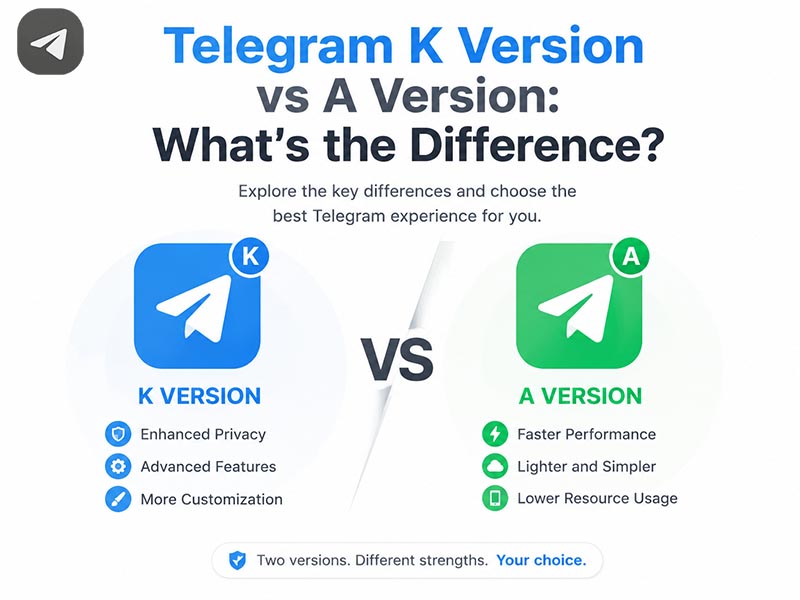
What Are Telegram K Version and A Version
Both the K Version and A Version are fully official, Telegram-maintained web clients. They run directly in any modern web browser, sync in real time with your account, and support core messaging functionality. But they are built on entirely different technical foundations and designed for slightly different user priorities.
- Telegram Web K: The primary, actively developed web client, built on Kotlin/JS and the Krypton library. It is Telegram’s recommended default web experience, engineered for speed, memory efficiency, and near-full feature parity with native desktop and mobile apps.
- Telegram Web A: The alternative official web client, built on the Angular framework. It is maintained as a secondary option, offering a distinct interface style and a more app-like animated experience for users who prefer its layout.
Core Differences Between Telegram K Version and A Version
While both clients let you send messages, manage chats, and share media, they diverge noticeably in performance, features, and day-to-day feel.
1. Technology Stack & Performance
The biggest gap between the two versions lies in their underlying code and how they run in your browser.
- K Version: Built with Kotlin/JS, it is optimized for fast initial loading, low RAM usage, and smooth scrolling even in large chat groups. Media files load quickly, and the interface remains responsive on older laptops or browsers with limited resources.
- A Version: Built on Angular, it has a slightly heavier resource footprint. It delivers more fluid animations and polished visual transitions, but may feel slower on low-powered devices or when multiple tabs are open.
2. Feature Completeness
As the primary web client, the K Version generally leads on feature support.
- K Version: Offers the most complete feature set of any Telegram web client, including full support for group topics, multiple chat tabs, scheduled messages, advanced media viewer controls, and native voice and video calling. New Telegram features typically roll out to Web K first.
- A Version: Supports all core messaging, sticker, and notification features, but advanced admin tools and experimental features often arrive later, or remain unavailable. Historically it lagged behind on call support, though recent updates have narrowed the gap.
3. Interface & User Experience
The two clients follow different design philosophies.
- K Version: Mirrors the classic Telegram Desktop layout very closely, with a familiar sidebar, compact chat list, and minimal decorative animations. It prioritizes consistency and functionality, feeling like a direct port of the desktop app to the browser.
- A Version: Features a more modern, visually distinct design with rounded UI elements, smoother transition effects, and a slightly rearranged chat panel layout. It feels more like a contemporary standalone web app than a desktop replica.
4. Update Frequency
- K Version: Receives frequent updates, bug fixes, and feature drops as Telegram’s flagship web product. Security patches and new functionality roll out on a regular, fast-paced schedule.
- A Version: Follows a slower, maintenance-focused update cycle. It receives critical security fixes and core feature updates, but experimental tools and interface overhauls rarely debut here.
Which Version Should You Use
There is no universally “better” pick; the right choice depends on your priorities:
- Choose the K Version if you want the fastest, most feature-complete web experience, rely on advanced Telegram tools, or use an older computer with limited memory.
- Choose the A Version if you prefer a more modern, animated interface, favor Angular-based web app behavior, or have encountered compatibility issues with Web K on your specific browser.
Both are fully secure, official, and sync perfectly with your mobile and desktop sessions. You can switch between them at any time without losing any chat data or account settings.
Beyond Web Clients: Other Common Telegram Version Options
The K and A versions are just two entries in a much larger landscape of Telegram builds. Two other widely discussed telegram version options are worth understanding.
1. Telegram Beta
Telegram beta is the official pre-release channel for Telegram’s mobile, desktop, and web apps. It gives users early access to features before they launch in the stable public version.
- What it offers: Early access to new tools, interface changes, and performance improvements.
- What to expect: Occasional bugs, crashes, or half-finished features, as builds are still in active testing.
- Who it’s for: Power users who want to preview upcoming functionality and provide feedback directly to Telegram’s development team.
Switching between stable and beta channels is officially supported on most platforms, and your chat history and account data remain fully intact.
2. Telegram+ APK
Unlike official web clients and official telegram beta releases, Telegram+ APK is a popular third-party modified Telegram client for Android. Many users seek it out for its exclusive customization and privacy add-ons, and our website provides continuously updated, clean, unmodified telegram+ apk files for free download for all Android devices.
Exclusive Features of Telegram+ APK
This modded telegram version adds dozens of functions missing from official Telegram builds:
- Hundreds of customizable UI themes, fonts, and bubble styles
- Advanced privacy tweaks: hide typing status, disable read receipts selectively
- Built-in multi-file download manager for bulk media saving
- Extended file sending limits, custom sticker packs, and chat folder management
- Extra notification control and app lock functionality
Important Safety & Usage Tips
- For daily primary account use, stick to official clients: The K Version, A Version, stable native apps, and official telegram beta builds are all vetted and maintained directly by Telegram’s team with zero ban risk.
- Download third-party mods only from trusted platforms: Our site regularly scans all uploaded telegram+ apk files with multi-engine antivirus tools to eliminate injected malware or trackers.
- Log out of web clients on shared devices: Both Web K and Web A store your login session locally in the browser. Always sign out when using Telegram on a public or work computer to protect your account.
- Backup your chat history regularly: If you rely on telegram+ apk, export important chats and media files in advance in case of unexpected account restrictions or bans.
Final Thoughts
When comparing Telegram K Version vs A Version, the biggest takeaway is that both are legitimate, secure official web clients. They just take different approaches to performance, design, and feature rollout. For most users, the K Version is the best default pick for its speed and full feature set, while the A Version serves as a solid alternative for those who prefer its interface style.
If you’re looking to experiment beyond stable releases, the official telegram beta channel is a low-risk way to try new features early. If you want advanced customization tools unavailable in official builds, our site offers the latest clean telegram+ apk for Android users. However, always keep the account ban risks top of mind and follow our safety practices to avoid losing your Telegram account permanently.