Telegram is known for giving users greater privacy and control over their communications. Many people use Telegram to chat with friends, join groups, follow channels, or meet new people. However, a common question remains: can others know that you have searched for them on Telegram? In most cases, Telegram does not send notifications when someone looks up another user, so if I search someone on Telegram, will they know is a common concern among users who want to understand how Telegram search and privacy features work. Searching for a username, profile, or contact does not create an alert or visible record that the other person can see.
For example, you might want to find an old friend, view a username, or look up a specific account. You might wonder if Telegram will send notifications to the recipient or show your activity.
The answer is simple: No. Telegram will not notify you if someone searches for your account. Searching for someone, opening their profile, or viewing their username are all private operations. Other users cannot see who searched for them.
We shared the ways to create a Telegram channel before. This article will explain how Telegram search works and answer common questions about search history, saving photos and videos, screenshots, and contact notifications.

Can Someone See If You Search for Them on Telegram
No, Telegram won’t let others know you’ve searched for them.
When you enter a username, name, or phone number in the Telegram search bar, the app will only display matching accounts, groups, or channels. The person you search for will not receive any messages or notifications.
For example, if you search for someone named Alex, or enter their username to find their account, Alex will not know that you have searched for them.
Telegram does not have the feature to display profile views or search activity like some social media platforms. Your search history remains private.
However, if you interact with that person after finding them, they may notice your activity. For example:
- Sending them a message
- Joining a group they manage
- Reacting to their content
- Calling them through Telegram
These actions can create a visible connection, but the search itself cannot be seen.
How Does Telegram Search Work
Telegram search helps users find accounts, messages, groups, and channels quickly. You can search by:
- Username
- Contact name
- Phone number
- Group name
- Channel name
- Keywords inside chats
When you search for a username, Telegram checks its database and displays the matching results. The search process is conducted within the app and does not create public records.
Telegram will also save some of your recent search history on your device to help you find your account faster. These saved search records are only visible to you.
Can Anyone See My Telegram Search History
No, other users cannot see your Telegram search history.
Your recent search history will be stored privately in your Telegram app. These records are intended to facilitate your future searches, but will not be shared with your contacts or other Telegram users.
Nobody else can view this list.
Your Telegram search history is different from your chat history. Search history is merely a personalization feature designed to help you use the app more easily.
How to Clear Telegram Search History
If you want to remove your recent searches, you can usually do this from the search section:
- Open Telegram.
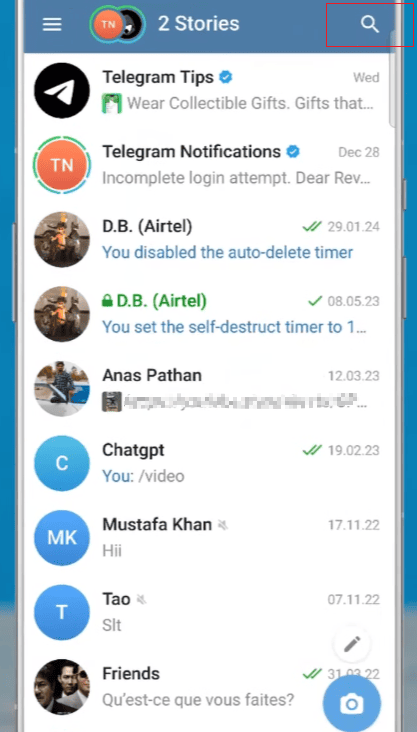
- Tap the search bar.
- View your recent searches.
- Choose the option to clear them.
After clearing the history, those previous search suggestions will no longer appear on your device.


Does Telegram Notify When You Save a Photo
No, Telegram will not notify the recipient when you save their photo.
When you receive a picture in a Telegram chat, you can save it to your device without the sender receiving any notification.
For example, if someone sends you a travel photo or an image from a conversation, saving the image will not trigger a notification.
This also applies to photos shared in many Telegram groups and channels. The person who uploaded the photo will not know that you have saved it.
Telegram aims to simplify routine tasks such as viewing and saving media. Saving photos is considered a personal action and will not be shown to others.
Does Telegram Notify When You Save a Video
No, Telegram does not send notifications when you save a video.
If someone sends you a video, you can download or save it to your device without the sender receiving a message.
This also applies to videos shared through:
- Private chats
- Group chats
- Channels
In some cases, senders may see normal message activity, but Telegram will not provide a notification informing them who saved their video.
Many users save videos for offline viewing, as a keepsake, or to watch later. This behavior is private.
Does Telegram Notify When You Screenshot
In most Telegram chats, taking a screenshot will not trigger a notification.
If you take a screenshot of a regular conversation, profile page, group, or channel, the other party will not receive a notification.
However, Telegram handles different types of chat differently. Private chat offers additional privacy protections, and its screenshot behavior may vary depending on the device and app version.
For regular Telegram conversations, taking a screenshot will not send a notification to the other party.
Does Telegram Notify Your Contacts When You Join
Yes, depending on your settings and contact information, Telegram X mod apk can notify some of your contacts when you create an account or join Telegram.
When someone in your phone’s contacts joins Telegram, the app might display a notification like this:
“Someone in your contacts has joined Telegram.”
This helps users know which friends are already using Telegram.
However, this is different from searching for someone. Searching for other users will not generate any notifications.
If you want to manage these notifications, Telegram provides settings that allow users to control certain privacy and contact-related functions.
Can Someone Know If You Viewed Their Telegram Profile
No, Telegram does not display visitor profiles.
Unlike some social apps that show who has viewed a profile, Telegram does not provide a profile browsing list.
A person cannot know:
- Who searched for their username
- Who opened their profile
- How many times someone checked their account
They can only see actions that involve direct interaction, such as receiving a message or joining a conversation.
Can Someone See When You Search Their Username
No, searching Telegram usernames is completely private.
The purpose of creating usernames is to make it easier for users to find others without revealing their phone numbers. You can view an account by entering the username in the Telegram search box without notifying the account owner.
For example:
- Open Telegram search.
- Enter a username.
- Open the profile.
- Decide whether to start a conversation.
The search step remains invisible to the other person.
Does Telegram Show Who Viewed Your Messages
The visibility of Telegram messages depends on the content type and the chat style.
In private chats, users can usually check the message delivery and read status using Telegram’s checkmarks. The information visible may differ between groups and channels.
However, actions such as viewing someone else’s profile, searching their account, or saving their media files will not be displayed as visible activities.
How to Use Telegram Search More Privately
Although Telegram does not show your searches to others, you can also manage your own search activity.
Some useful habits include:
- Clear recent searches when needed.
- Use usernames instead of sharing phone numbers.
- Adjust contact settings based on your preferences.
- Organize important chats with folders.
These features help keep your Telegram experience more organized.
Final Thoughts
Telegram will not notify the other person when you search for them. Searching usernames, opening profiles, or viewing accounts are private activities that only affect your own app experience. You can also clear Telegram search history to manage your recent searches.
Others cannot view your Telegram search history, and actions such as saving photos, videos, or screenshots usually do not send notifications. Contact notifications primarily occur when a user joins Telegram and establishes contact through their phone’s address book.
Understanding how Telegram handles these actions can help you use the platform more comfortably and know which activities are visible to others.