The telegram app stands out among messaging platforms for its deep commitment to user privacy, offering everything from encrypted secret chats to fine-grained control over personal information. For many users, one of the most valuable privacy tools is the ability to hide online status, a simple setting that can reduce unwanted interruptions, protect personal boundaries, and keep your activity discreet.
In this complete guide, we break down exactly how to set up telegram hide online status on both mobile and desktop, explain what the common telegram last seen recently label really means, and clarify how these privacy changes interact with your telegram chat history and day-to-day messaging.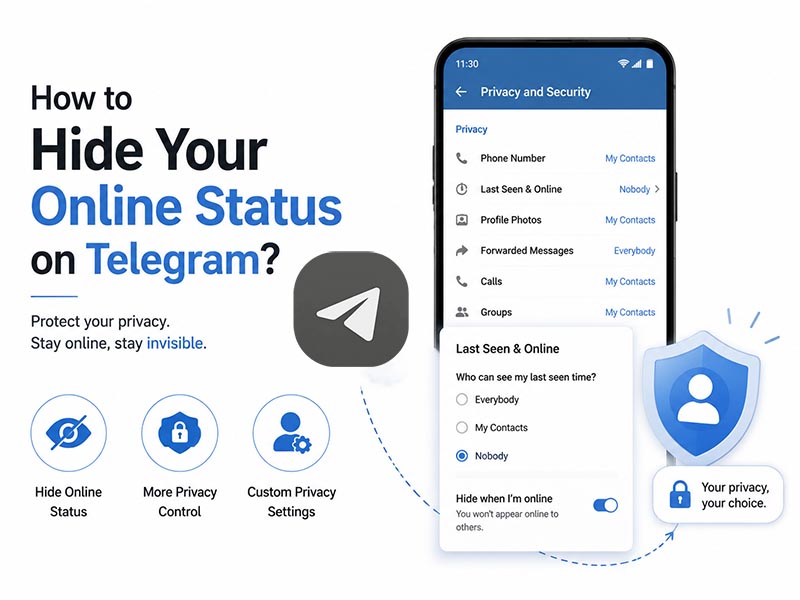
Why Hide Your Online Status on Telegram
There are many reasons users choose to hide online status telegram settings. Some of the most common include:
- Personal privacy: Not every contact or group member needs to know when you are actively using the app. Hiding your status keeps your daily routine private, even from people you chat with regularly.
- Fewer distractions: When others see you are online, they may expect an immediate reply. Hiding your status lets you message on your own schedule without pressure to respond right away.
- Work-life balance: If you use Telegram for work, hiding your online status outside of working hours helps set clear boundaries between professional and personal time.
- Safety and discretion: For public figures, remote workers, or users in high-privacy contexts, hiding active status adds an extra layer of personal security.
How Telegram Online Status and Last Seen Work
Before adjusting your settings, it helps to understand how visibility works in the telegram app.
When you have the app open and are actively using it, your profile shows an “online” status to anyone with permission to view it. When you close the app or switch to another program, Telegram updates your profile with a “last seen” timestamp showing exactly when you were last active.
Once you enable Telegram’s “Hide Online Status” setting, Telegram will replace your exact timestamp and real-time online indicator with a vague, generic label. The most widely seen of these labels is telegram last seen recently, which tells other users you use the app regularly without revealing your exact activity schedule.
Step-by-Step: How to Hide Online Status in the Telegram App
Adjusting your visibility only takes a few taps in the telegram app. Below are full instructions for mobile and desktop.
Mobile (Android & iOS)
- Open the telegram app on your smartphone.
- Tap the Settings icon.
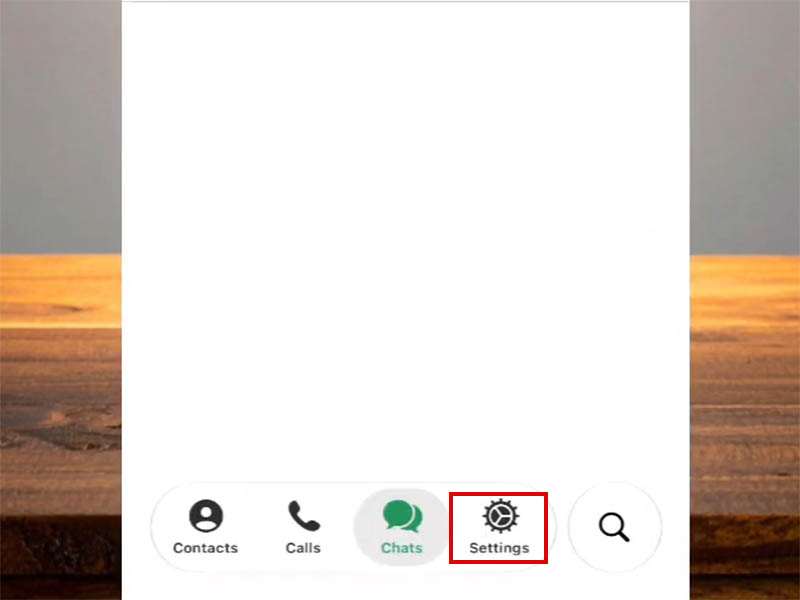
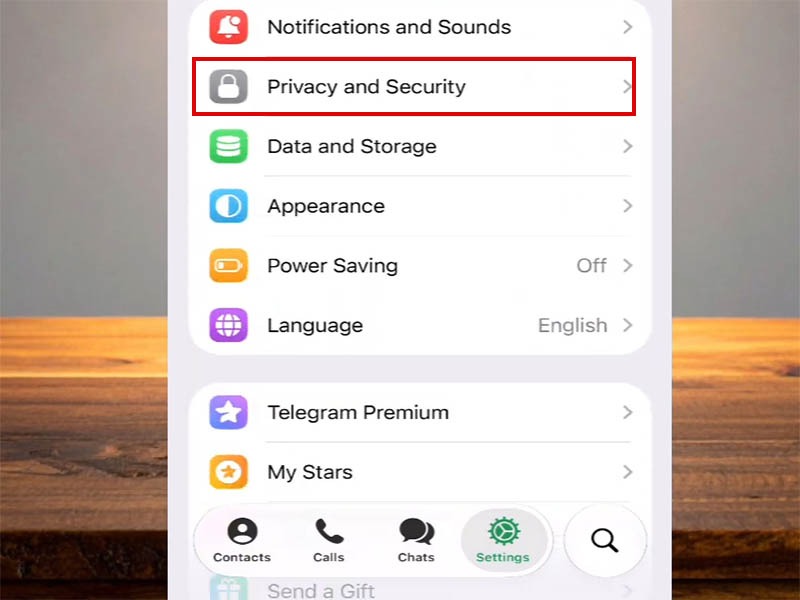
- Scroll down and tap Privacy and Security.
- Under the Privacy heading, select Last Seen & Online.
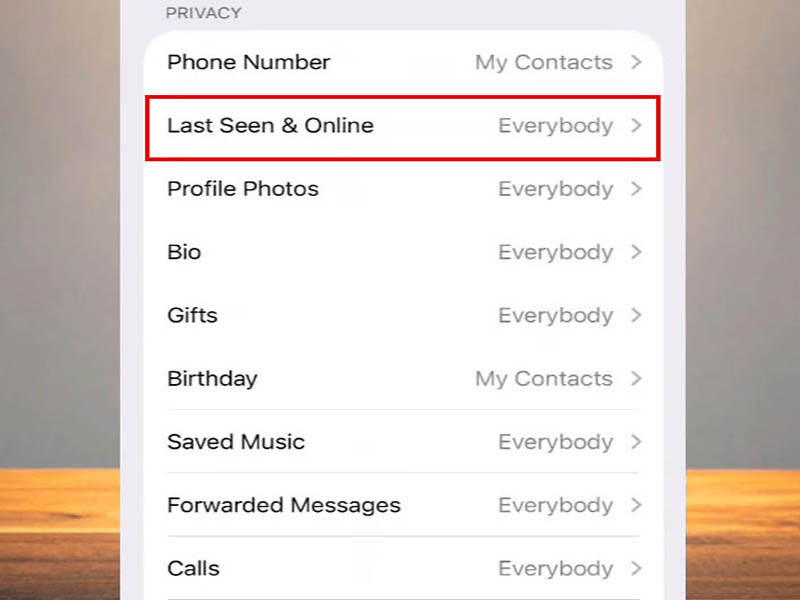
- Choose your preferred visibility level:
- Everyone: All users can see your exact online status and last seen time.
- My Contacts: Only people saved in your device contacts can see your precise status.
- Nobody: No user can see your exact status; this is the full hide online status telegram option.
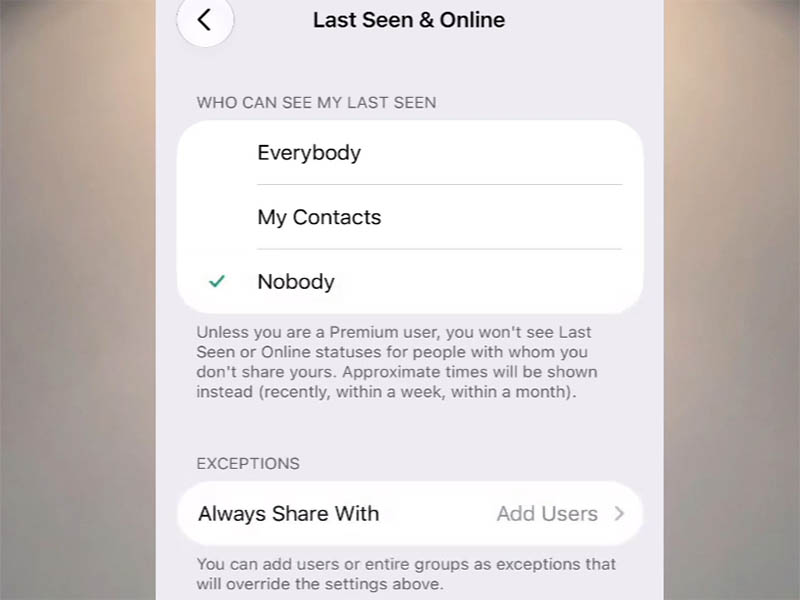
- (Optional) Use the Always Share With and Never Share With sections to add exceptions for specific people or groups.
- Tap the checkmark or Done in the top-right corner to save your changes.
Desktop & Web
Your privacy settings sync across all devices, but you can also adjust them directly from Telegram Desktop or Telegram Web:
- Open Telegram on your desktop or web browser.
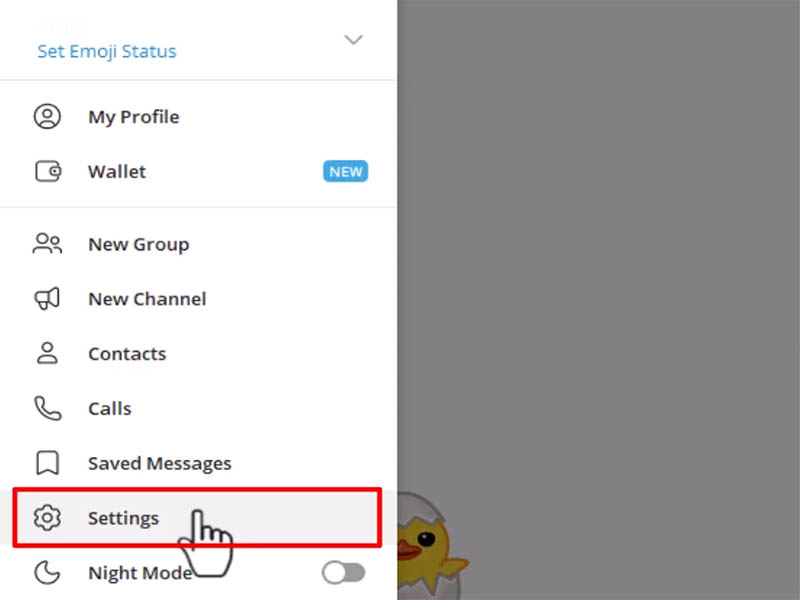
- Click the menu icon and navigate to Settings > Privacy and Security.
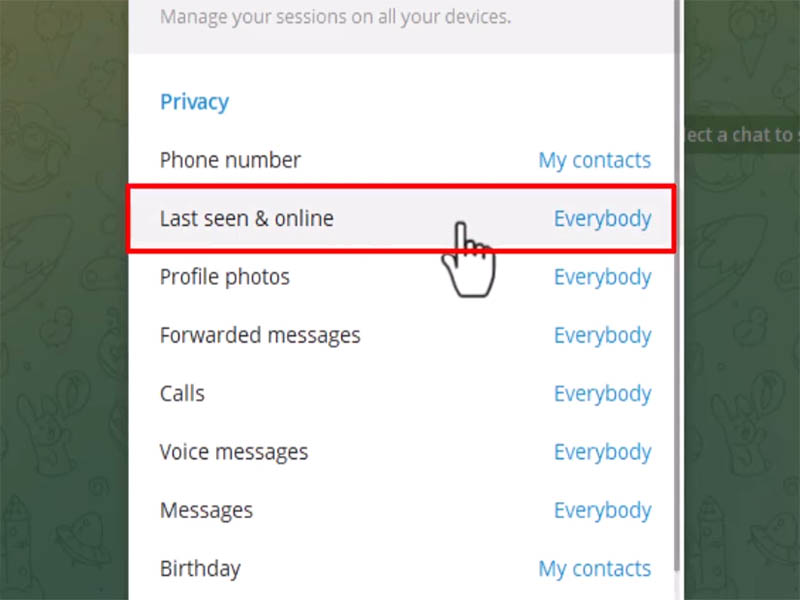
- Find the Last Seen & Online section and select your preferred visibility.
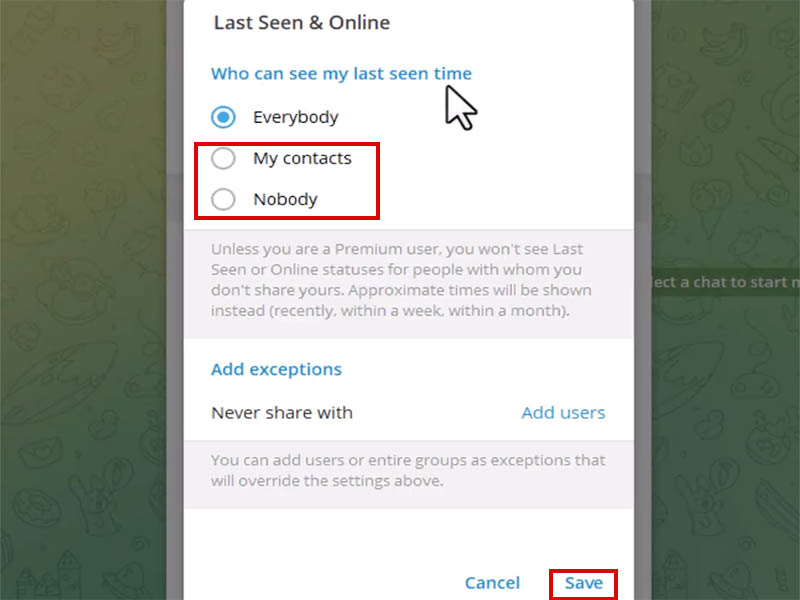
- Save your changes; they will apply to every device logged into your account.
Understanding Your Privacy Options
Each visibility level offers a different balance of convenience and privacy.
- Everyone: This is the default setting. It offers maximum transparency but no privacy protection for your activity.
- My Contacts: This is a popular middle ground. People you know can see your exact status, while strangers and group members you haven’t saved will only see telegram last seen recently.
- Nobody: This enables full telegram hide online status mode. Every user, including your contacts, will see a vague status label instead of your real online time.
For most users, the My Contacts setting strikes the best balance: it keeps your status visible to people you trust while hiding it from random users and group acquaintances.
What Happens After You Hide Your Status
Hiding your online status only changes how your activity appears to other users. It does not limit any core Telegram features.
Most importantly, your telegram chat history remains completely untouched. All your messages, media, saved chats, and group conversations stay exactly as they are. You can still send and receive messages normally, view read receipts, and use every other feature of the telegram app.
When you activate full hide online status telegram mode, other users will see telegram last seen recently on your profile instead of a specific date and time. This label indicates you have been active within the past several days, but gives no clue about your exact schedule.
Note that Telegram follows a reciprocal privacy rule: if you hide your own online status, you will also lose the ability to see the exact online status of other users who have hidden theirs. This ensures fair privacy for everyone on the platform.
Common Questions & Troubleshooting
- Why does my status still show as online sometimes?
If you have the telegram app open in the foreground, there may be a short delay before your privacy status fully updates. If specific users can still see your status, double-check that they are not on your Always Share With exceptions list.
- Does hiding my online status affect my telegram chat history?
No. Your telegram chat history, saved media, and message backups are completely unaffected by privacy visibility settings. Only your active status and last seen timestamp are hidden; all core messaging features work exactly as before.
- What exactly does “last seen recently” mean?
Telegram last seen recently is a generic status label used when exact timestamps are hidden. Telegram does not publish a precise time window to protect user privacy, but it generally refers to activity within the last 3 to 7 days.
- Will people get a notification if I hide my status?
No. There is no alert or notification sent to contacts when you change your online status settings. Users will simply see telegram last seen recently instead of a precise time, with no indication that you intentionally changed your settings.
Final Thoughts
The ability to telegram hide online status is a small but powerful feature that puts you in control of your privacy on the platform. With just a few taps in the telegram app, you can reduce unwanted pressure, protect your personal routine, and maintain healthy boundaries.
Whether you opt for full invisibility with Nobody mode or a balanced approach with My Contacts and custom exceptions, hide online status telegram settings let you use the app on your own terms. And because your telegram chat history and messaging features remain fully intact, you get all the privacy benefits with none of the tradeoffs.
For more information on Telegram privacy guides and step-by-step tutorials—such as how to hide phone number in Telegram, check out our complete collection of Telegram tips and how-to guides.